
How do I caption a video with Urdu and English speech?
Choose Urdu + English as the spoken language, then choose the writing system your audience reads. Use Roman Urdu for Latin letters throughout, or Urdu + English output for Urdu script with English words retained. Review the transcript before exporting.
Free: your first export has no watermark (up to 2 min). Week Pass $1 after that.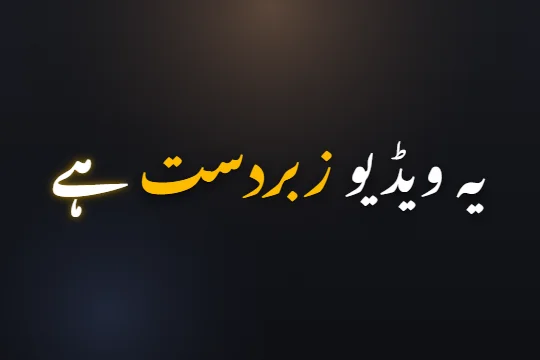 Edit sample text and scrub its word highlights. This preview does not transcribe audio.
Choose the words, script and export
- STEP 1
Open the final cut
Sign in and upload your finished clip. Select Urdu + English for speech, or use Auto detect. Avoid changing the cut after you have timed the captions.
- STEP 2
Choose the output script
Select Roman Urdu, Urdu + English or Urdu before generating. Script choice changes how words are written; it does not translate your sentence.
- STEP 3
Check each language switch
Listen again around names, numbers and English phrases. Correct the words, replay the highlights and export video or SRT.
A worked example: one sentence, three outputs
Suppose your spoken line is “Aaj hum video editing ke three tips share karenge.” The examples show intended text after human review, rather than a measured transcription result. English vocabulary can stay in Latin letters or be written in Urdu script.
For Roman Urdu, agree on a spelling convention such as karenge or karein ge and use it throughout the clip. For mixed script, inspect the English phrase inside the Urdu line at normal playback speed.
Review names and numbers before styling
Write the intended spelling of a person, brand or technical term while listening. Correct the transcript word by word. Check whether a missing word also needs a timing adjustment; replacing the text alone will not fix an early highlight.
Listen to the first line, a line where languages switch and the final line. If you switch an existing Roman transcript into Urdu later, inspect the converted spellings again. Selecting Urdu before transcription is the recommended route for Urdu-script output.
Choose the handoff your next editor needs
Export video when the exact font, animation and placement should stay in the picture. Download SRT for editable subtitle text and cue timing. SRT does not contain your Nastaliq font or animated word highlights.
Compare the mixed-caption options, try the caption styles, or follow the CapCut handoff guide.
Limits, stated plainly
- Names, fast speech, overlapping voices and music can produce errors. Review automatic captions.
- Script switching is not English translation.
- Free transcription is limited to 2 minutes per month; free video exports have a watermark. See Pricing for current paid options.
Questions
Does Urdu + English translate my Urdu into English?
No. It retains the spoken vocabulary and changes the writing system. Review the output against your audio.
Which output keeps English words in Latin letters?
Use Urdu + English for a mixed-script line, or Roman Urdu for Latin letters throughout.
Will SRT retain the font?
No. Use a rendered captioned video to preserve the caption design.
Related
Caption your next video in minutes
Upload a clip, check the words, pick a style and export. No card needed to start.