
Urdu captions from your voice, set in Nastaliq
Turn spoken Urdu into editable captions in Urdu script. Check the transcript, choose a look and export a captioned video or a subtitle file. The same editor also supports Roman Urdu and mixed Urdu + English lines.
Free plan: 2 minutes of transcription a month, watermarked exports, all styles.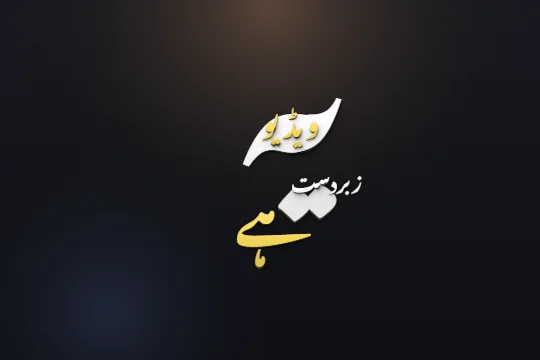 Edit sample text and scrub its word highlights. This preview does not transcribe audio.
Add Urdu captions in three steps
- STEP 1
Upload a clip
Sign in and open a video or audio file. Choose Urdu + English for mixed speech, or use Auto detect.
- STEP 2
Choose Urdu output
Choose Urdu script before you generate. Use the mixed output if English words should stay in English letters.
- STEP 3
Review and export
Correct the transcript, adjust highlights and choose a style. Export the video, or download an SRT for another editing app.
Urdu lettering that belongs on your video
Nastaliq has sloping words, tall ascenders and stacked dots. A caption needs room for those shapes as well as a readable baseline. Capflair uses Urdu fonts and script-aware layout in its shared caption engine, rather than treating Urdu letters like Latin capitals.
The editor preview and video export use the same caption scene. Try a long word and a short line on your own footage before choosing a size. A font that looks elegant on a dark background can need more contrast on a bright face or a patterned outfit.
Choose the script before you generate
Urdu + English output keeps English words in Latin letters inside the Urdu line. The Urdu-only output writes those words in Urdu letters too. These are spelling and script choices; they do not translate an Urdu sentence into English.
For the best Urdu spellings, select Urdu before transcription. Switching an existing Roman transcript to Urdu converts its spellings, and the editor warns you about this. Names, slang and words heard through music still need a human review.
Fix the words, then choose a style
Click a caption word to edit it. The Urdu keypad helps when your keyboard is set to English. You can add a missing word, split or delete one, and move its timing if a highlight arrives too early. Review AI spelling changes individually instead of assuming every suggested correction is right.
Dastaan, Shayari and Ghazal are starting points for Urdu lettering. The gallery includes restrained lines, karaoke highlights and dynamic layouts. Choose by readability and the pace of the clip; a quiet interview and a sung hook need different treatment.
Video captions or a separate subtitle file
A captioned video keeps the chosen font and animation in the picture. An SRT contains the words and cue times; the app or player that opens it controls the type. If you need the exact Nastaliq design to survive sharing, use the video export. If a collaborator needs editable subtitle cues, send the SRT as well.
Play the finished file from the beginning and check the last line too. Review spelling, line breaks, contrast and word highlights on a phone-sized display. Keep your source video so you can return to the editor when a client changes a name or a phrase.
Limits, stated plainly
- Automatic transcription needs review, especially with fast speech, overlapping voices, music or background noise.
- Urdu SRT display depends on the receiving player and its font support.
- The free plan includes 2 minutes of transcription a month, all caption styles and watermarked video exports. Online checkout is opening soon; ask support about a manual upgrade.
Questions
Can I get Urdu script instead of Roman Urdu?
Yes. Select Urdu as the caption output before generating. You can also choose Urdu + English to retain English words in Latin letters.
Can I type corrections without an Urdu keyboard?
Yes. Use the editor’s Urdu keypad, or paste the correct spelling into the word editor.
Are captions translated into English?
No. The English output is for English speech. Script switching changes the writing system; it is not an English translation.
Does the free video have a watermark?
Yes. Free-plan video exports are watermarked. All caption styles are available.
Related
Caption your next video in minutes
Upload a clip, check the words, pick a style and export. No card needed to start.