
Choose an Urdu font that stays readable on video
Choose Urdu lettering for the mood and size of your captions. Try the bundled fonts on actual footage, or upload a font you are allowed to use. Review the joined letters and dots before exporting.
Free plan: 2 minutes of transcription a month, watermarked exports, all styles.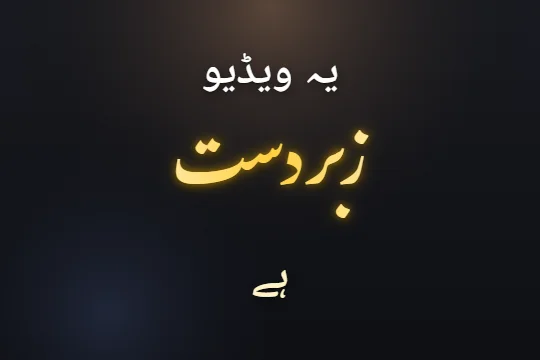 Edit sample text and scrub its word highlights. This preview does not transcribe audio.
Set an Urdu caption font in three steps
- STEP 1
Generate Urdu captions
Select Urdu or mixed Urdu + English output. Correct the words before comparing typefaces.
- STEP 2
Choose a face or upload one
Open Appearance and select a font, or upload a supported font file. Per-word design controls can set a different font for one word.
- STEP 3
Inspect the preview and export
Check small text, tall letters and dots on bright and dark footage. Export a short sample and view it at phone size.
Nastaliq, Naskh and the size of your line
Noto Nastaliq Urdu gives text the sloping, connected character familiar from Urdu writing. Gulzar is another Urdu type option. Noto Naskh Arabic gives a more upright line that can be useful when the caption is small or dense. The best choice depends on the actual words and the space available.
Do not choose a face by its name alone. Compare a long word, a word with stacked dots and a short mixed-script sentence. Give the type room above and below the baseline. If a word is hard to read, adjust size, contrast or line length before adding more motion.
Try a style before changing every setting
The style gallery shows real renders of the shipped presets in Latin letters and Urdu script. A style supplies a starting point for lettering, emphasis and motion. Apply one in the editor, then use Appearance to adjust the caption-wide font or the word design controls for an individual word.
Dastaan is built around Urdu calligraphy. Qalam, Shayari and other styles offer different starting points. A dramatic design can work for a lyric line and be too busy for a detailed explanation. Keep the reading task in mind and compare the result on the footage rather than a plain background.
Upload a font file you are allowed to use
The editor accepts TTF, OTF, WOFF and WOFF2 files. Your font must contain the Urdu glyphs you need. A Latin-only font can fall back to another face for Urdu text, so inspect the actual letters instead of assuming that selecting the font changed every word.
Keep the original font file. Uploaded fonts are available for the editing session; they are not a promise of an account-wide font library on every device. Planned paid tiers list custom-font allowances, while checkout remains pending. Ask support if a required font upload is restricted by your current account.
Jameel Noori Nastaleeq is not bundled. Bring your own appropriately licensed file if you want to use it. Font availability on another computer does not establish permission to embed or publish it; follow the licence supplied with the font.
Check the downloaded video at reading size
Video export renders the caption lettering into the picture, so viewers do not need the same font installed. SRT is different: it carries text and cue times, and the receiving player chooses the font. Use the video route when the exact Urdu type design matters.
Replay a passage with tall ascenders and dots after export. Check the corners of the frame and any word you resized or tilted individually. A font change can alter word width, so revisit placement and line breaks before publishing a previously approved caption layout.
Limits, stated plainly
- Custom fonts need the glyphs for your script and an appropriate licence.
- Uploaded fonts are session assets; keep your font file for future sessions.
- An SRT does not embed your chosen font.
- The free plan includes 2 minutes of transcription a month, all caption styles and watermarked video exports. Online checkout is opening soon; ask support about a manual upgrade.
Questions
Which Urdu fonts are available?
The editor includes Urdu faces such as Noto Nastaliq Urdu, Gulzar and Noto Naskh Arabic. Presets can use different Urdu faces.
Can I upload WOFF2?
Yes. The custom font control accepts TTF, OTF, WOFF and WOFF2.
Can I use a different font on one word?
Yes. Use that word’s design controls.
Will the viewer need the font installed?
No for a rendered captioned video. An SRT relies on the receiving player’s type settings.
Related
Caption your next video in minutes
Upload a clip, check the words, pick a style and export. No card needed to start.