
Captions for Urdu and English in the same sentence
When your speech switches languages, your captions should follow it. Generate Roman Urdu with English words, or use Urdu script with English runs inside the same line. Every word and its timing remain editable.
Free plan: 2 minutes of transcription a month, watermarked exports, all styles.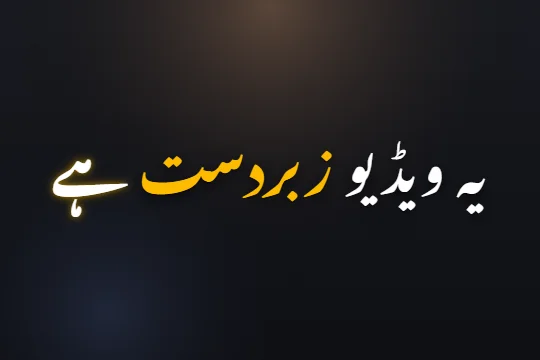 Edit sample text and scrub its word highlights. This preview does not transcribe audio.
Caption mixed speech in three steps
- STEP 1
Upload the conversation
Open your clip and use Urdu + English as the spoken language, or leave Auto detect on.
- STEP 2
Choose your writing system
Pick Roman Urdu for Latin letters throughout, or Urdu + English for Urdu script with English words retained.
- STEP 3
Check the switches
Listen where the language changes. Fix names, abbreviations and missing words before choosing a style and exporting.
One spoken sentence, different writing choices
A creator can use an English noun inside an Urdu sentence without translating the sentence. Roman Urdu writes the Urdu words in Latin letters alongside the English words. Mixed Urdu + English output writes Urdu in its own script while retaining English words in Latin letters.
Urdu-only output is another choice: English loanwords are written with Urdu letters too. Pick the output your audience reads most comfortably. There is no universal spelling convention for every borrowed word, so check the result and change a spelling when you prefer a different form.
English words inside a right-to-left line
An Urdu-script caption reads from right to left, while an English word has its own left-to-right letter order. Capflair lays out those runs in the shared caption scene. Check mixed lines with numbers, acronyms and punctuation carefully; these are the places where visual order matters most.
Keep the line short enough for a phone. A word highlighted in yellow should remain readable against the footage, and an English acronym should not get lost between long Urdu words. Per-word font and colour controls let you adjust emphasis without retyping the whole transcript.
Review meaning where the language changes
Auto transcription can confuse a company name, a technical term or a short English phrase. Replay the transition and compare it with the words on the timeline. Correct the text first, then retime a word if its highlight is late. An attractive caption with the wrong name still needs fixing.
AI spelling fixes can help with consistency, but review the marked changes. If you have a finished script or exact lyrics, paste that text in the relevant mode and review its alignment. The editor gives you control of the words rather than making a language switch an irreversible choice.
Choose the export for the next step
Export a captioned video when the mixed lettering and animation should stay exactly as designed. Download an SRT when another editor needs text cues. An SRT does not carry the caption style or per-word font choices, and right-to-left rendering depends on the destination.
Before you post, play a section with both scripts on a phone. Check names, text size and contrast. If you send the work to someone else, explain which writing choice you used so their corrections follow the same spelling convention.
Limits, stated plainly
- Fast switches, noisy audio and overlapping speakers can cause transcription mistakes.
- English output is for English speech; this feature does not promise translation.
- The free plan includes 2 minutes of transcription a month, all caption styles and watermarked video exports. Online checkout is opening soon; ask support about a manual upgrade.
Questions
Will English words stay in English?
Use Roman Urdu or mixed Urdu + English output to retain English words in Latin letters. Check the transcript for recognition mistakes.
What does Urdu-only output do?
It uses Urdu letters for the whole line, including English loanwords.
Can I change only one word’s font?
Yes. Open the word’s design controls and choose a font or another style for that word.
Should I choose the script before generating?
Yes. Selecting Urdu output before transcription gives a stronger Urdu spelling source than converting a Roman transcript afterwards.
Related
Caption your next video in minutes
Upload a clip, check the words, pick a style and export. No card needed to start.