
Make a lyrics video with the words you choose
Paste the lyrics you want on screen, align them to the audio and review the timing. Build an Urdu-script or Roman Urdu lyric video with karaoke highlights, calligraphy or a simpler caption line.
Free plan: 2 minutes of transcription a month, watermarked exports, all styles.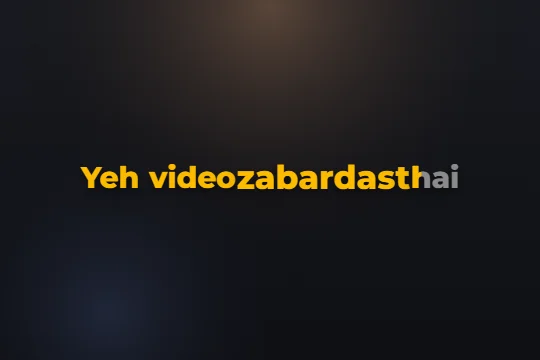 Edit sample text and scrub its word highlights. This preview does not transcribe audio.
Make a lyrics video in three steps
- STEP 1
Open the track
Upload the video or audio and choose the writing system for your captions.
- STEP 2
Paste the exact lyrics
Use Lyrics or script mode with the words you want displayed. Check that they match this version of the recording.
- STEP 3
Review alignment and style
Replay the lines, fix early or late word times and pick the caption design. Export the video when the words and highlights are ready.
Use your lyric text as the source of the words
A sung word is often harder to recognise than a spoken word. Long notes, ad-libs and instruments can obscure consonants. Lyrics mode starts with the text you paste and aligns it to the heard words, so the writing comes from your lyric source rather than an unchecked automatic draft.
Use the lyrics for this recording. A live take, remix or shortened edit can have a different repeated hook or missing verse. Remove unrelated headings and check repeated lines before aligning. If you want an ad-lib visible, include it deliberately and review where it lands.
Review the highlight against the voice
Alignment is a starting point for timing. A word can begin softly, stretch over a note or overlap the next phrase. Replay each difficult line and drag a word’s timing when the highlight comes in too soon or too late. Listen to the voice as well as the beat; they are not always on the same instant.
Look at the gaps between verses. A caption should not linger through a long instrumental section unless that is an intentional design choice. Preview the final line of one section and the first line of the next so a repeated chorus does not inherit timing from the wrong passage.
Choose karaoke, calligraphy or a quieter line
Karaoke Sweep follows the words with a moving highlight. Dastaan offers layered Urdu calligraphy, while Ghazal and Shayari are other starting points for lyrical text. Use the gallery to compare real renders, then try the style on a passage from your own track.
Keep enough words on screen for a viewer to follow the phrase, but avoid filling the whole frame. An expressive word can have its own font, colour or placement. Check that the surrounding words are still readable and that an Urdu font has room for ascenders and dots.
Make the final check on the exported file
The preview and video export share the caption scene, and the export renders the chosen fonts and animation into the video. Download SRT as well when you want a text-and-time version for another workflow; the subtitle file does not include karaoke animation.
Listen to the beginning, the loudest passage and the last line of the finished file. Check spelling and timing at normal speed. Keep the lyric source and the original audio so that a later text change can be corrected in the project. Use audio and lyrics you have permission to publish.
Limits, stated plainly
- Alignment depends on vocal clarity and how closely the pasted lyrics match the recording.
- Heavy music, stretched syllables and overlapping voices may need manual retiming.
- The free plan includes 2 minutes of transcription a month, all caption styles and watermarked video exports. Online checkout is opening soon; ask support about a manual upgrade.
Questions
Do I have to use automatic lyrics?
No. Paste your own exact lyrics in Lyrics or script mode.
Does the timing always land on the beat?
Review it against the voice. Automatic alignment can need manual timing corrections.
Can Roman lyrics become Urdu-script captions?
Choose Urdu output and review the spellings carefully. Proper names and unusual lyric words can still need correction.
Does SRT keep karaoke animation?
No. Export a captioned video to preserve the design and motion.
Related
Caption your next video in minutes
Upload a clip, check the words, pick a style and export. No card needed to start.